Exploring a Media Field
Why Video Editing?
Video Editing
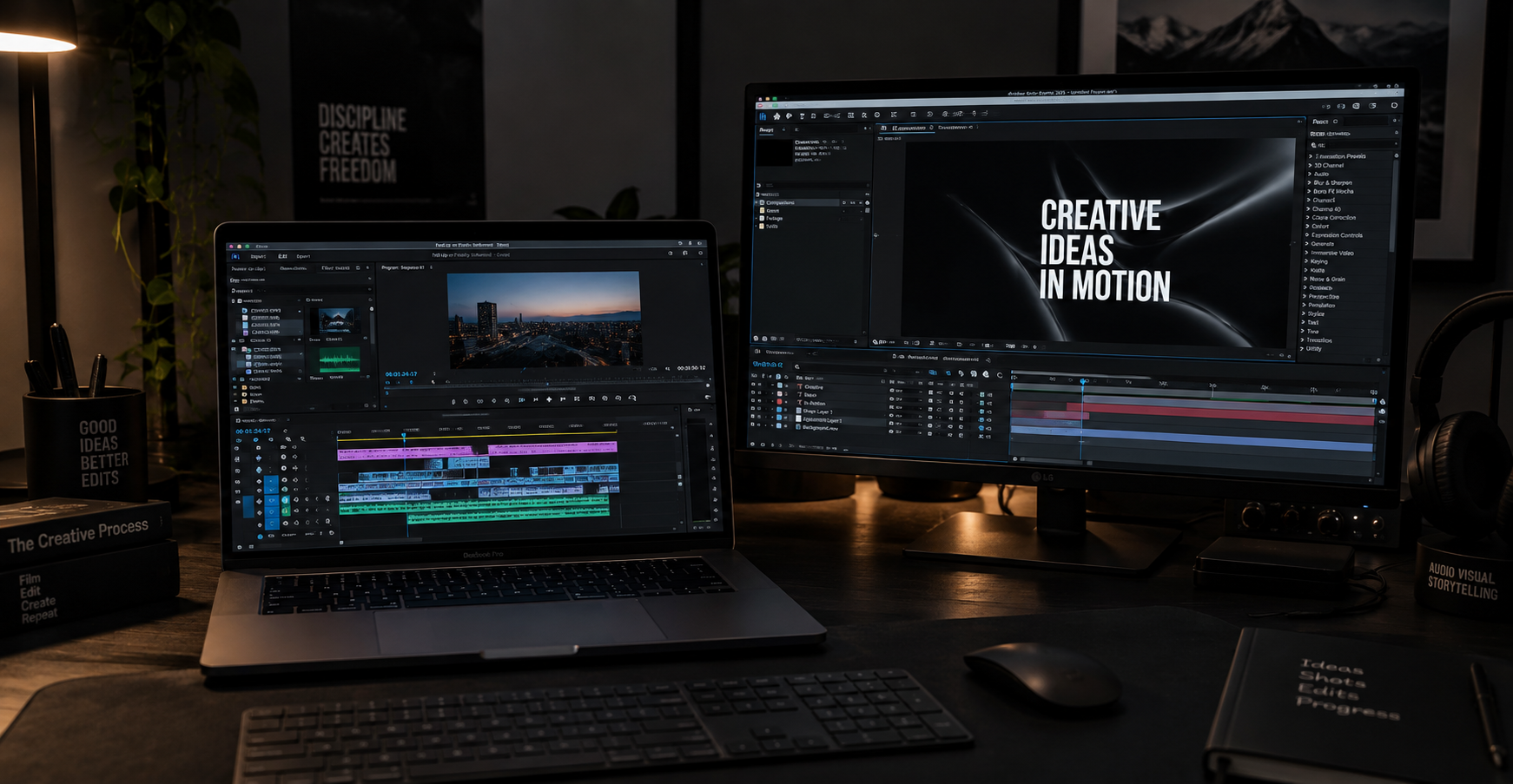
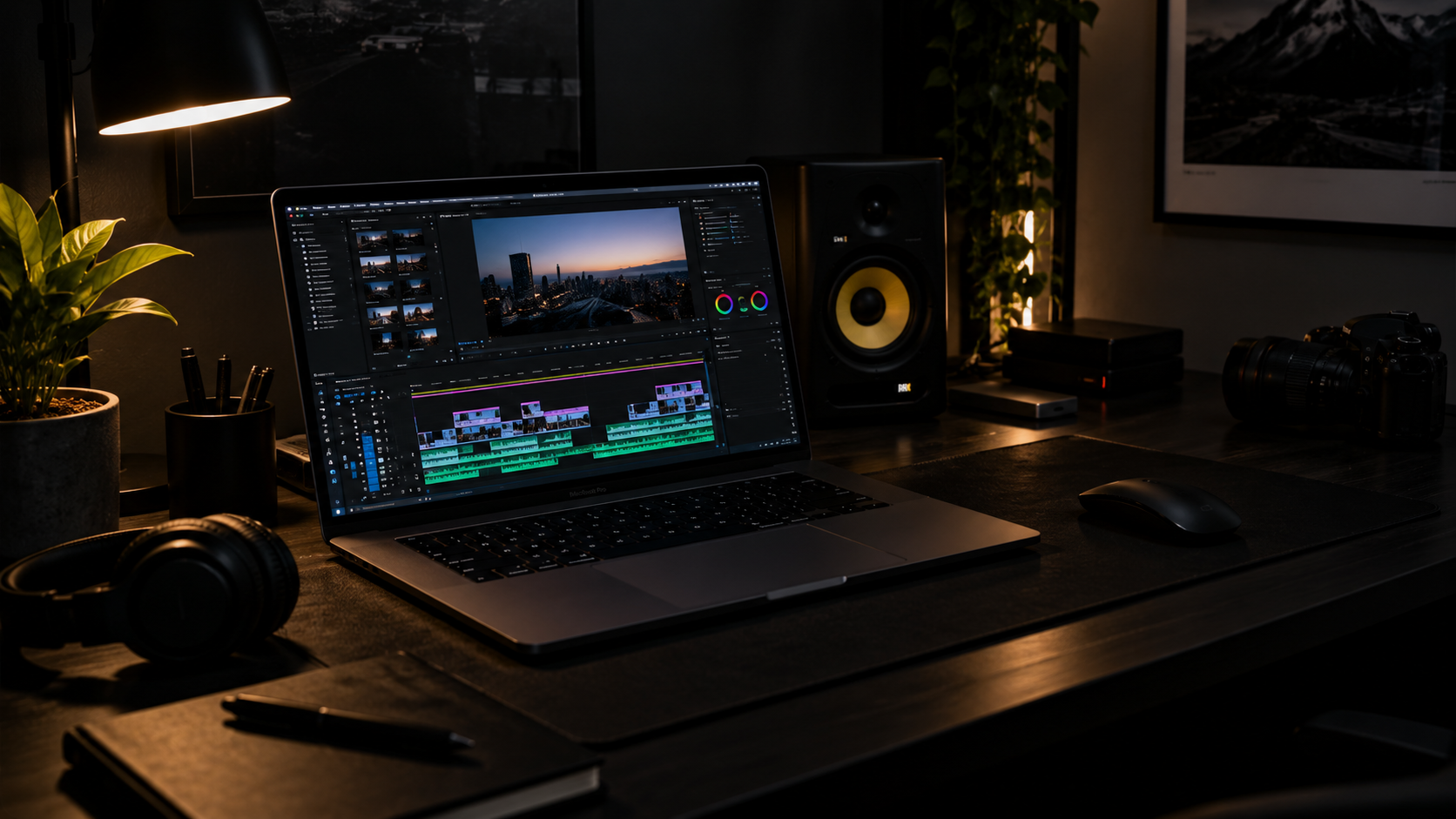
The media field that I am most interested in exploring is video editing and post-production. I enjoy the process of taking raw footage and turning it into a finished video. I like that editing isn’t just cutting clips together; the way footage, sound, music and effects are all put together can completely change how the audiences experiences a video.
During Year 1 I developed my editing skills mainly using Adobe Premiere Pro. Producing my Fed Up or Finally Informed documentary gave me experience working with interviews, B-roll, Voiceover, subtitles, and music, This made me realise that editing is one of the areas of media that I enjoy the most and would like to develop further.
Why I think It Suits Me?
I prefer learning practically and working things out while I am doing them. Editing suits this because there isn’t always one correct way to create an edit. I can experiment with different cuts, pacing, sound and effects, until I find what works best. I am already confident with the basics of Premiere Pro and some advanced features, but I know there are more advanced areas I need to learn.

What I Want To Develop
I want to develop my skills in After Effects, motion graphics and more advanced editing techniques. I also want to become faster and more organised when managing larger projects and timelines. Developing these areas would help prepare me for working in a professional editing or post-production environment.
Sources Of Inspiration
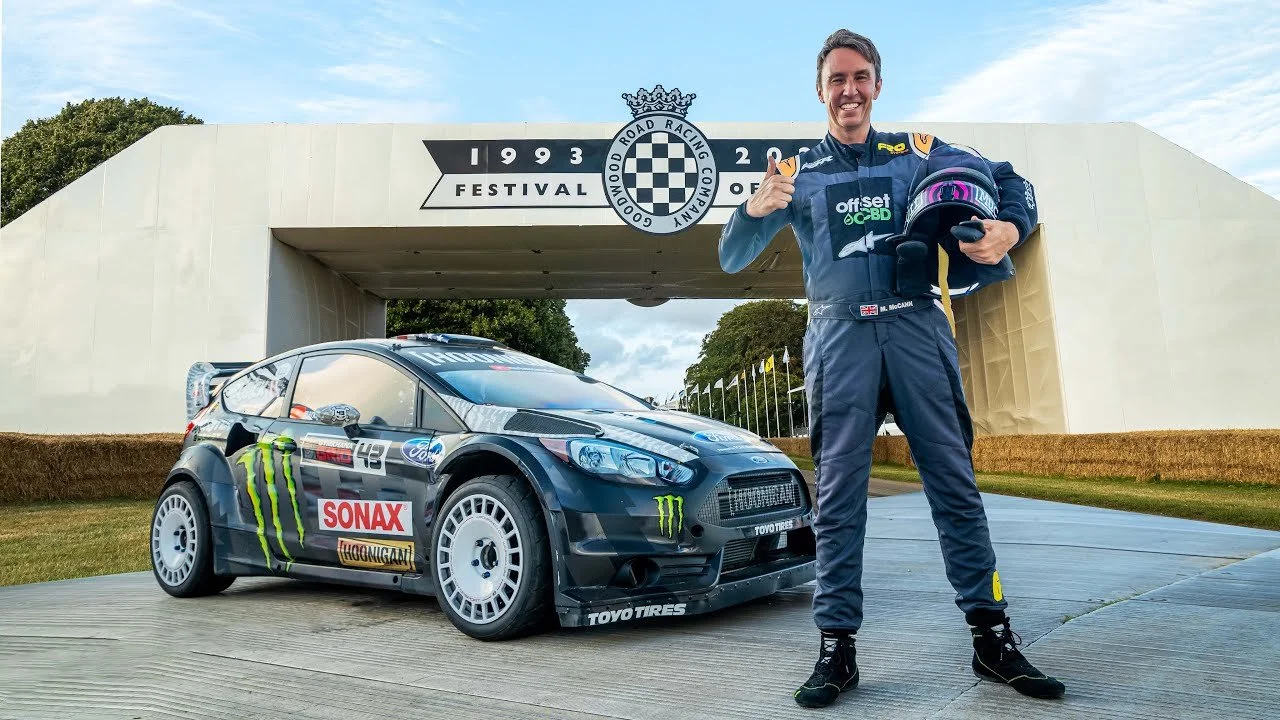
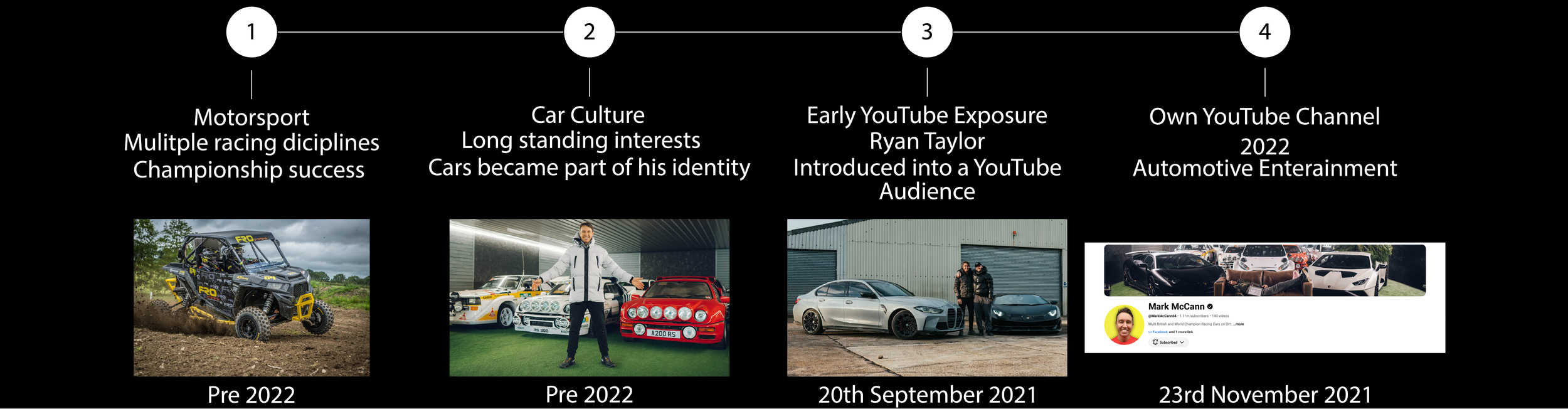
Mark McCann is one of my main inspirations when looking at YouTube editing and storytelling. Before Building his YouTube channel, he already had a background in motorsport, competing across areas including UTV racing and stock cars. This gives him real experience in many of the subjects that later became a part of his content.
What interests me most isn’t just the cars or motorsport, it’s how his videos are edited to turn an event or experience into a story. Instead of simply showing what happened, the editing helps explain the situation and keeps the video moving.
I have looked at different examples of editing to understand how editors use techniques such as storytelling, sound, timing and music. These examples are quite different from each other, but each one uses editing to control how the audience experiences the video.
Mark McCann - Visual Storytelling

Watch the Video I’m Analysing
Moving Into YouTube
Before starting his own YouTube channel, Mark had already appeared in content with BMX YouTuber Ryan Taylor, who was his neighbour. This gave him experience of being involved in YouTube content before developing his own channel.
In 2022 Mark began focusing on his own YouTube content, using his existing background in cars and motorsport as the basis for his videos. What interests me is that the videos aren’t just simply about showing cars. They are normally built around a challenge, event or story, which gives the editor something to develop throughout the video,
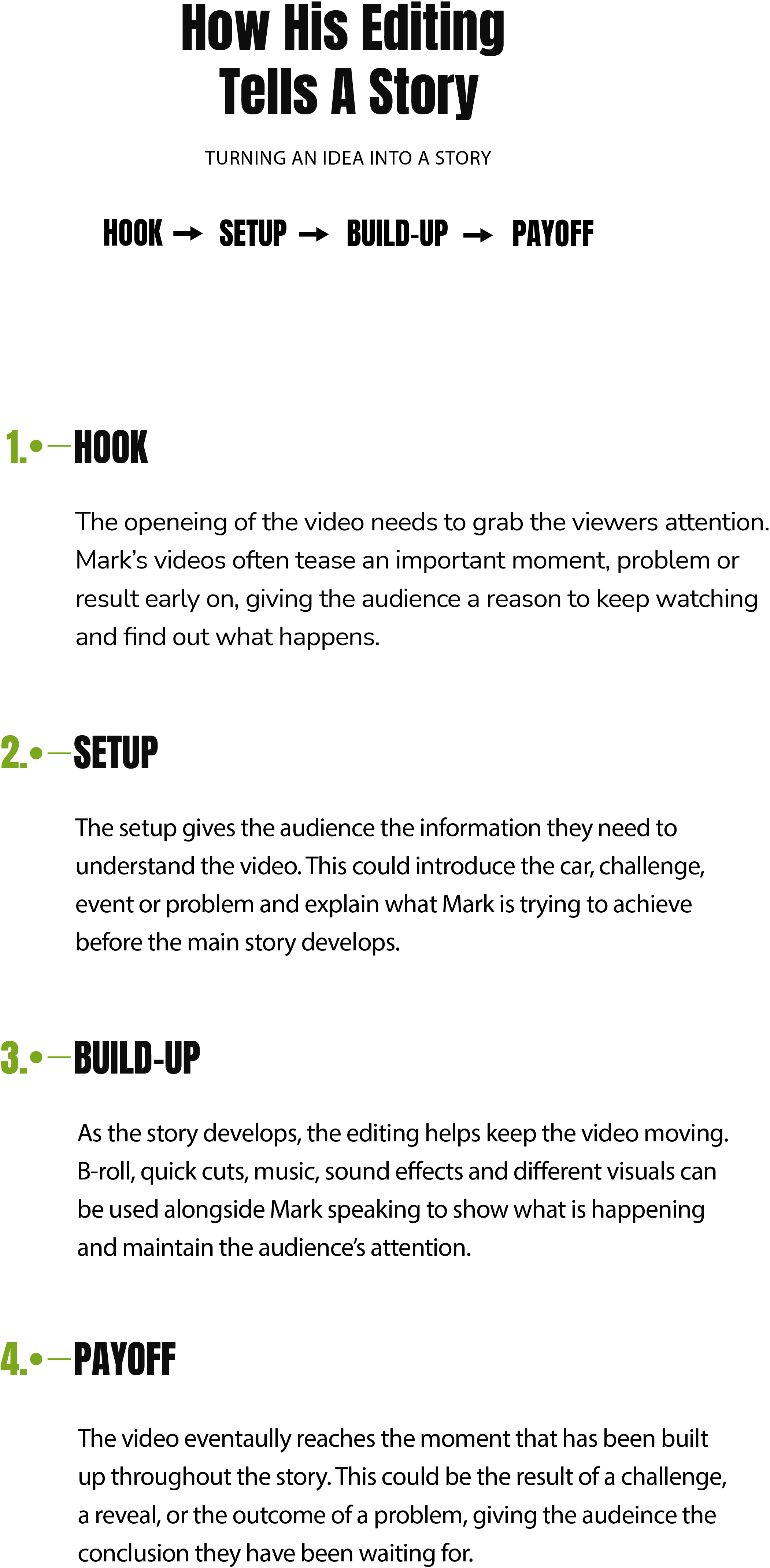
To see how this storytelling works in practice, I’ve looked at Mark McCann’s Video “I BOUGHT A SUPERCAR WITH A £80,000 BUDGET AND FLIPPED IT FOR PROFIT”. I will break down how the editing uses a Hook, Setup, Build-Up, Payoff to keep the audience interested throughout the video.
1 - Hook
00:00 - Animated Money Counter
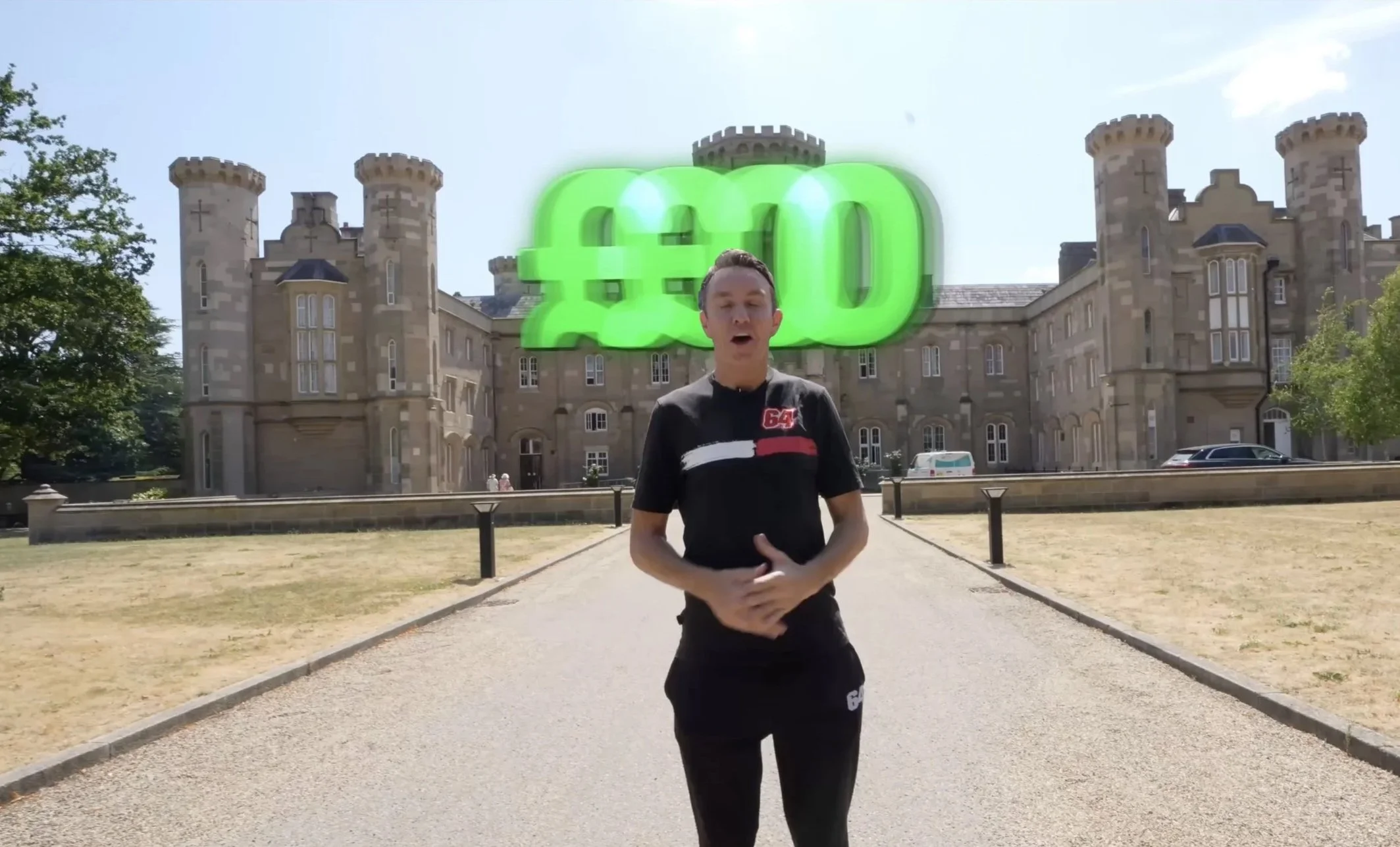
At the beginning of the video, Mark introduces the £80,000 budget using a large green rolling money counter behind him. This is an example of motion graphics, where animated text is added during editing to make the information stand out.
Rather than just having Mark speaking to the camera, the editor uses the animation to grab the viewers attention and emphasise the amount of money involved.
What I like about this technique is how it makes a simple talking shot more interesting without distracting from what Mark is saying. It’s something I’d like to experiment with in my own editing particularly when introducing important information at the start of the video.
→
BREAKING DOWN THE EDITING
2 - Setup
07:00 - Introducing The Challenge
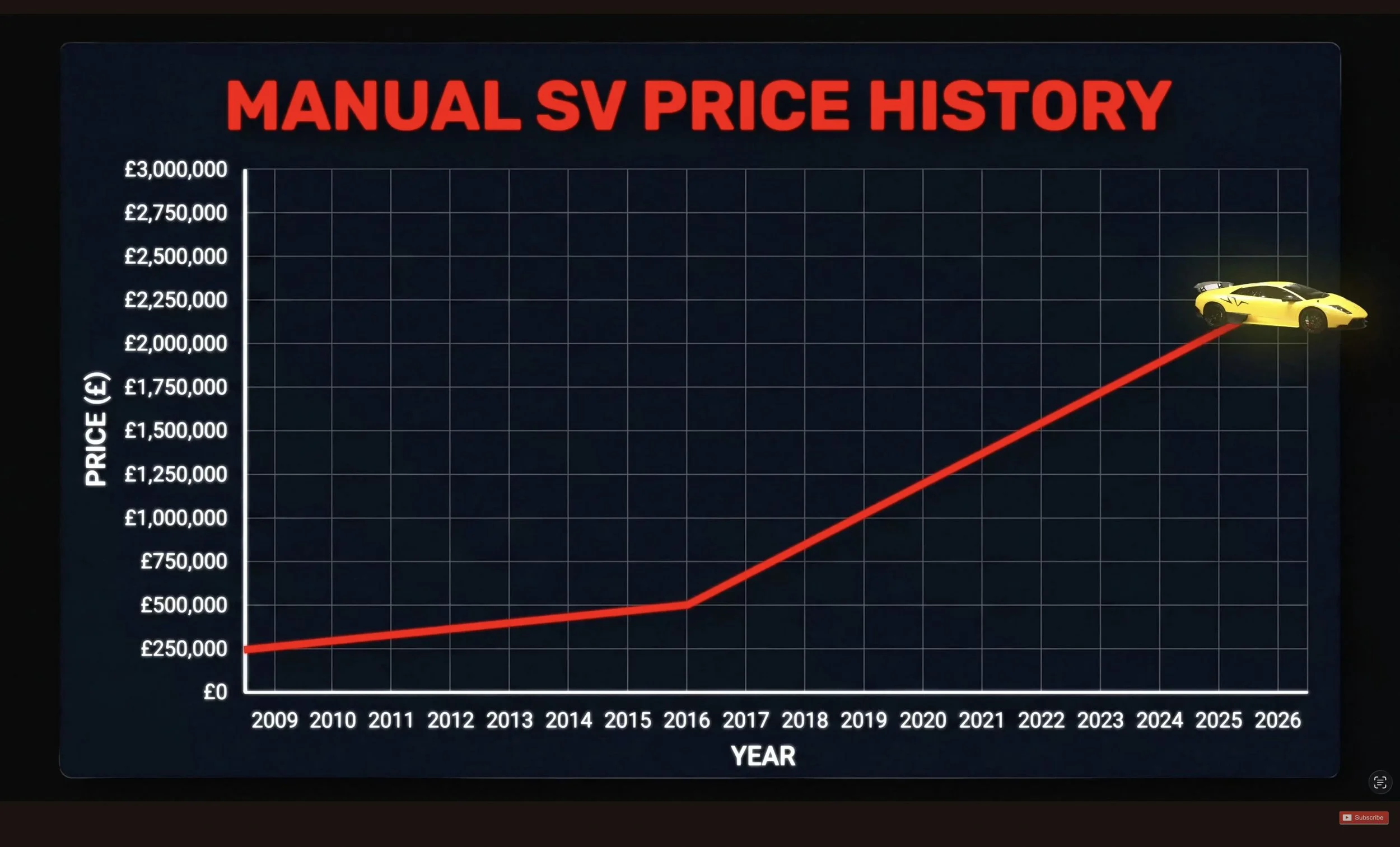
During the setup, Mark discusses different supercars and what makes them valuable. The editor cuts between the showroom conversation, driving footage and close-up shots of the cars to help the audience understand what is being said.
The video also uses motion graphics including a price history graph and information about the age and specification of certain cars. For example: The Lamborghini Murcielago SV came in both E-Gear and Manual variants for the transmission. These visuals help explain why some supercars increase in value and what Mark needs to consider when buying one.
What I like about this editing is that it makes quite detailed information easier to follow. Rather than just listening to a conversation about car values, the audience can actually see examples and graphics that support what is being said. This is something I’d like to use when explaining more complicated topics in my own videos.
3 - Build-up
53:50 - 54:15 - Professional Valuations & Potential Profit
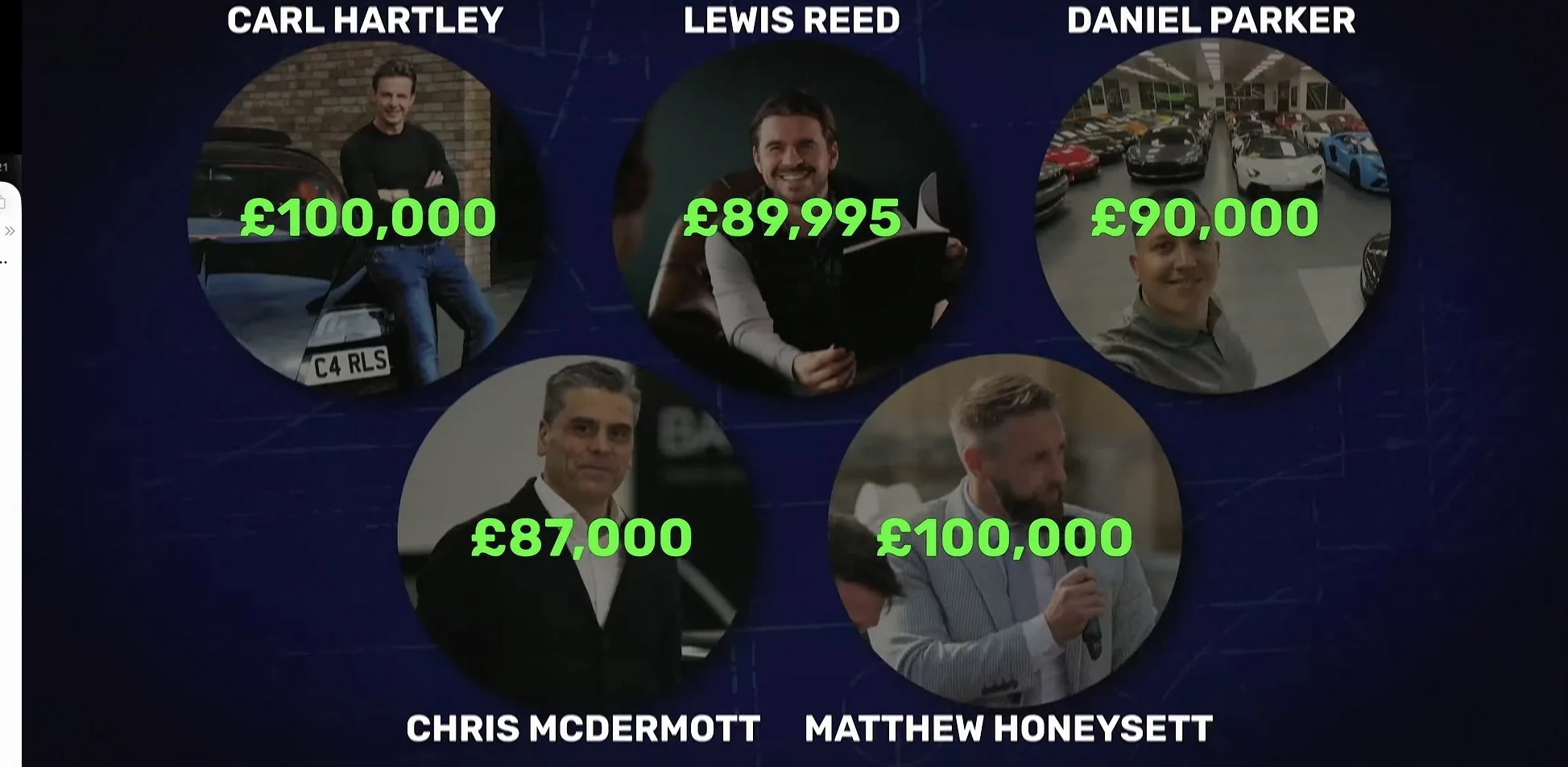
Towards the end of the video, Mark gets five professionals from the car industry to value the Lamborghini Gallardo he has purchased. The editor brings all five valuations together using motion graphics, displaying each person’s photograph, name and estimated value.
The bright green numbers stand out against the dark background, making it easy to compare the valuations, which range from, £87,000 to £100,000. This helps the audience understand how much the car could potentially be worth after watching Mark struggle to find one within his budget.
What I like about this editing is how it brings the story back to the original challenge. The audience has followed mark through the problems of finding and purchasing the car, and the valuations give them an idea on whether his decision could pay off. Rather than just explaining the figures, the editor presents them visually, making the outcome more interesting and easier to understand.
What I’ve Learnt From Mark McCann’s Editing Style
Looking at Mark McCann’s videos has helped me understand how important storytelling is when editing. Before researching his content I mainly focused on the technical side of editing such as cutting footage together and making everything flow smoothly.
What interests me about his videos is how the editor uses different techniques to keep the audience watching. Motion graphics, B-roll, sound and pacing all help explain what’s happening and move the story forward.
This is something I want to improve in my own editing. I am confident with the technical side of Premiere Pro, but I want to develop my creativity and learn how to use editing techniques to make a story more engaging, rather than just making the footage look good.
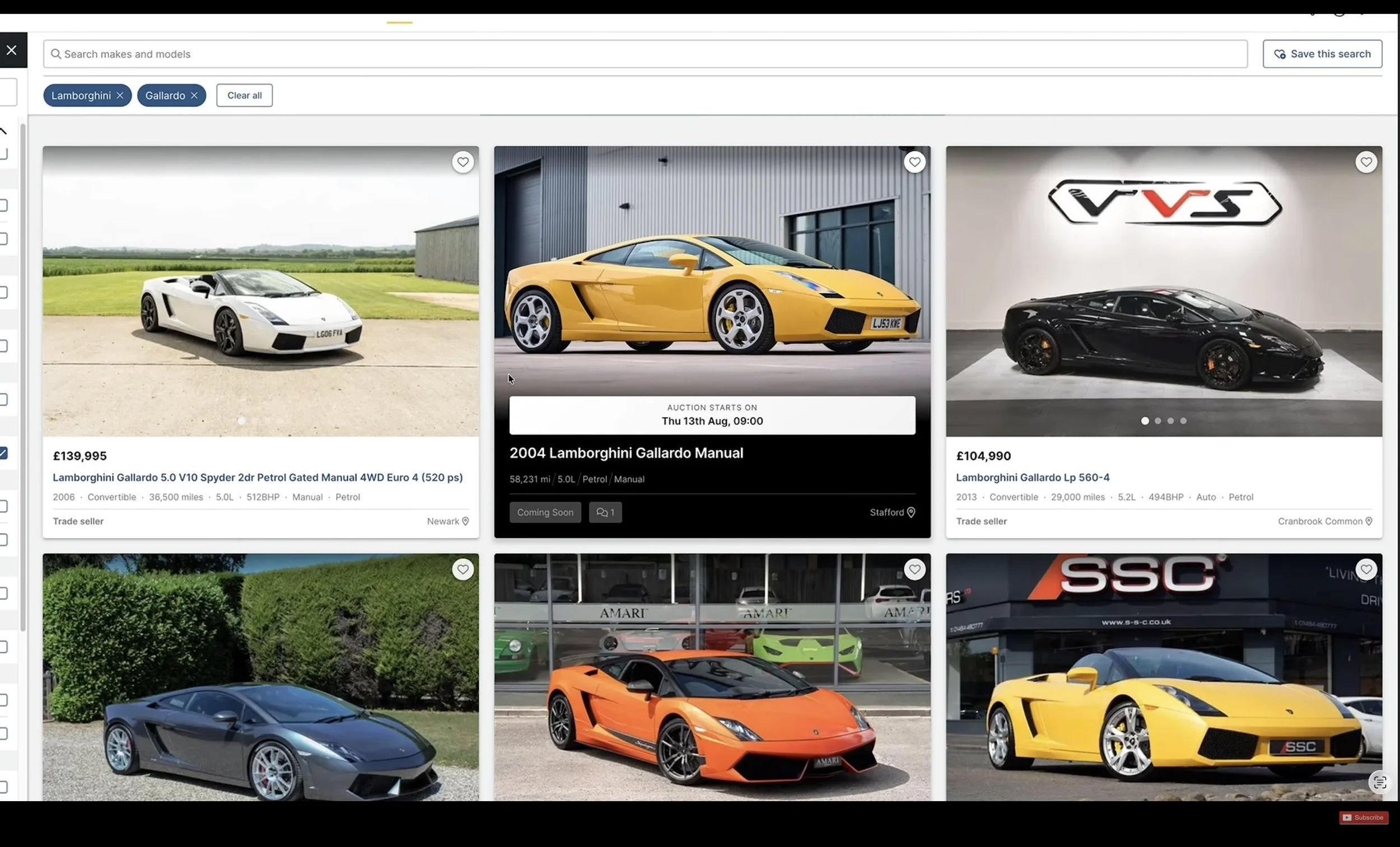
During the build-up, Mark struggles to find a supercar that fits his £80,000 budget and could potentially make a profit. The editor switches between Mark explaining the problems and footage of him searching through different car listings.
The screenshot shows several Lamborghini Gallardos listed for sale for considerably more than his budget. By including the listings an their prices, the editor gives the audience visual evidence of why finding the right car is difficult.
What I like about this is that the editor doesn’t just rely on Mark explaining the problem. The audience can see the prices for themselves, which helps build anticipation about whether he’ll manage to find a suitable car and complete the challenge.
4 - Payoff
14:52-19:35 - Searching for the Right Supercar
SMii7Y - Comedic Timing and Sound Editing
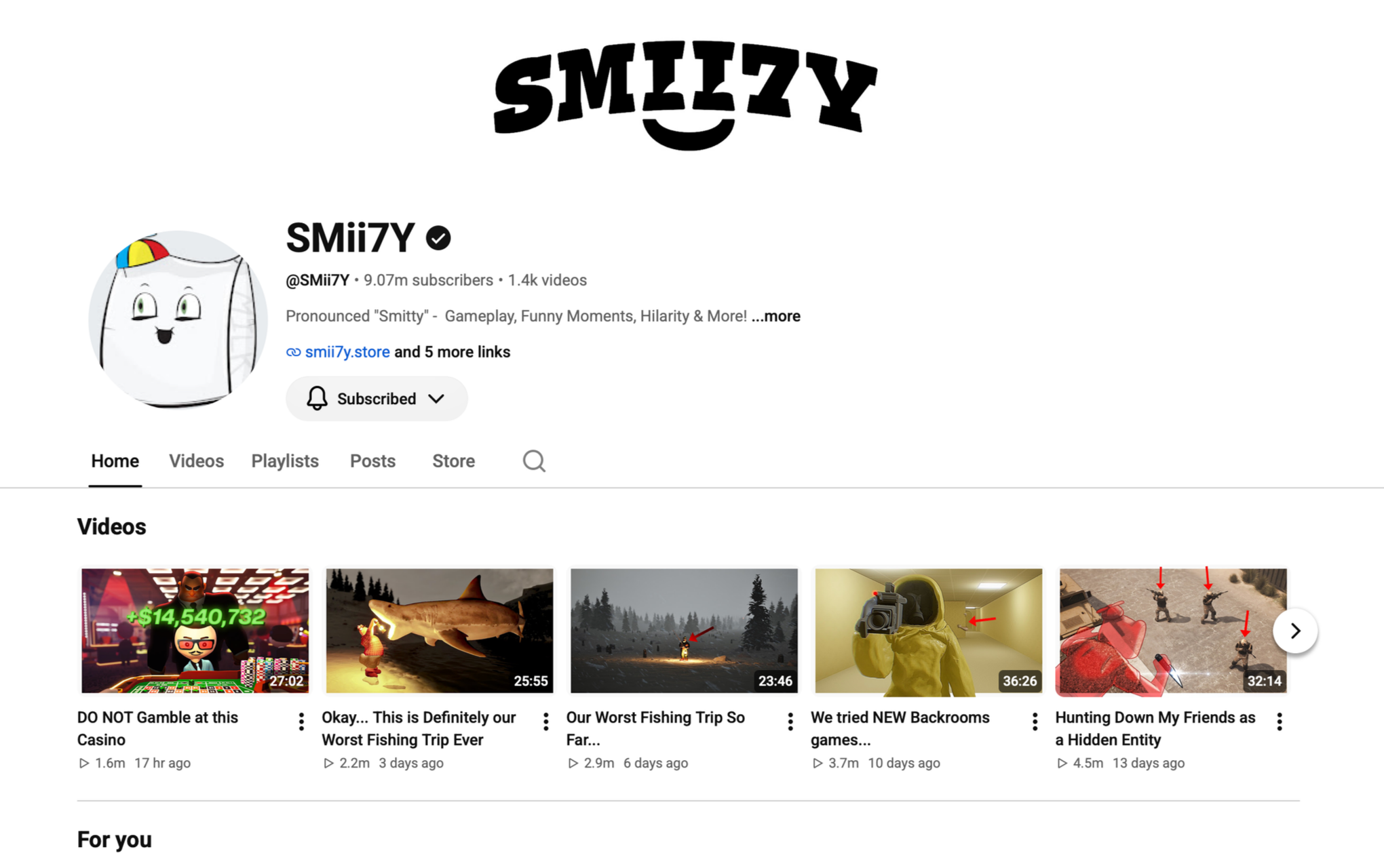
Another creator who has influenced my interest in video editing is SMii7Y, a gaming YouTuber known for his entertaining videos and fast-paced editing style
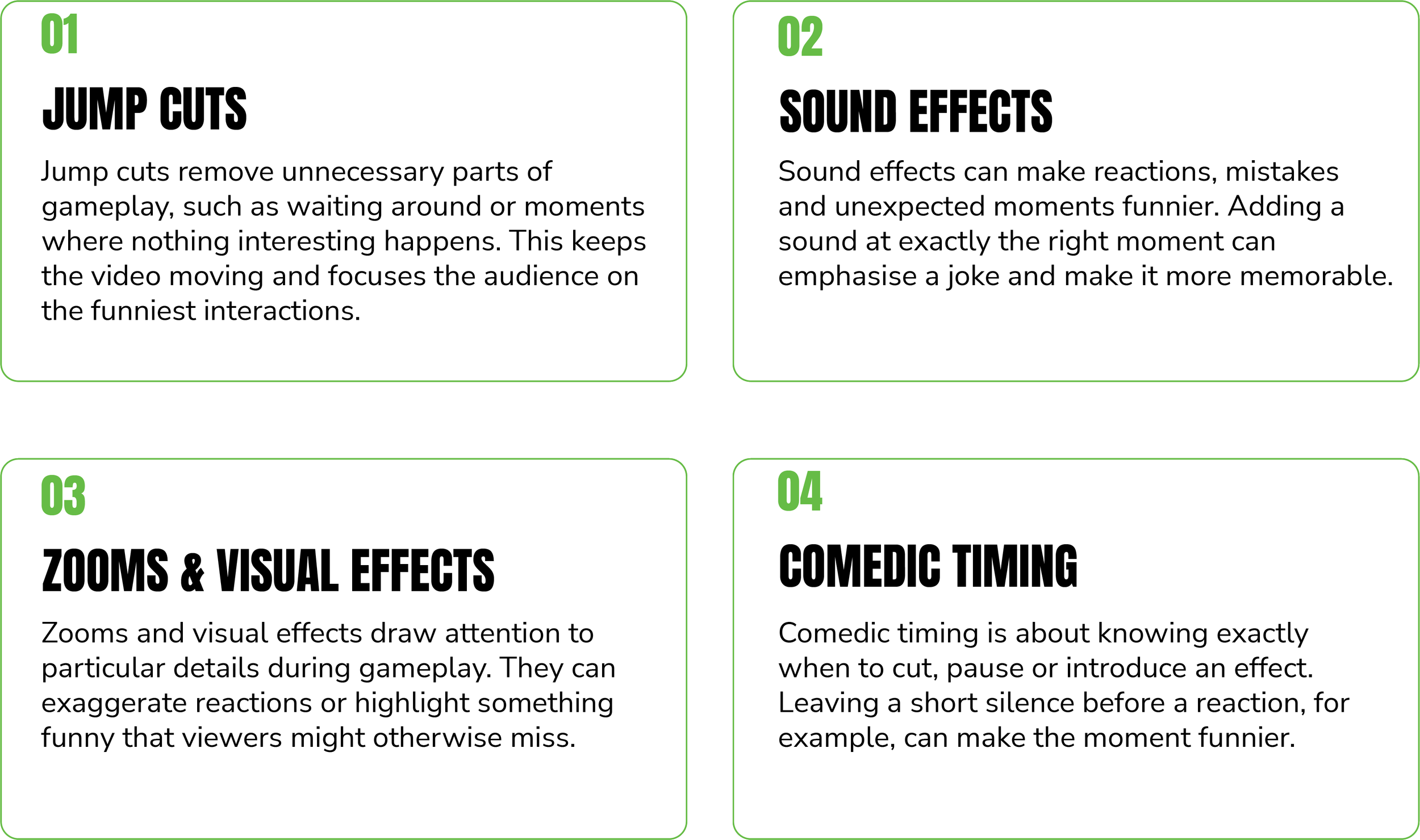
What interests me about his content is how the editing adds to the humour, instead of just showing gameplay, his videos use sound effects, quick cuts, zooms and visual effects to make funny moments stand out.
I want to look at how these techniques are used and how the timing of an edit can completely change how an audience reacts to a moment.
Who Is SMii7Y?
SMii7Y is a Canadian gaming YouTuber who creates comedy-focused videos, often playing multiplayer games with his friends. His content includes games such as GTA V, Warzone and various party games, where entertainment comes from the conversations, unexpected situations and reactions during gameplay.
What makes his videos interesting to me is how the editing turns long gaming sessions into shorter, more entertaining videos. Rather than keeping every moment of gameplay, the editor focuses on the funniest interactions and uses cuts, sound effects and visual effects to make this moments stand out.
How His Editing Creates Humour
One of the main things that stands out to me about SMii7Y’s videos is how much the editing contributes to the comedy. A moment that might not seem particularly funny during normal gameplay can become much more entertaining through the use of sound effects, zooms, quick cuts, and carefully timed pauses.
Unlike Mark McCann’s videos, where the editing mainly helps develop a story, SMii7Y’s editing focuses more on making individual moments entertaining. The timing of each edit is important because cutting too early or too late could change how the joke comes across.
SMii7Y’s Video Editing Analysis
To understand how SMii7Y’s editing creates humour, I've looked at a section of one of his gaming videos. I’ve focused how animated captions, visual effects and the timing of edits make certain moments more entertaining.
By breaking down specific examples, I can see how these techniques work and how I could use similar approaches in my own video editing.
01 - Animated Captions & Comedic Emphasis
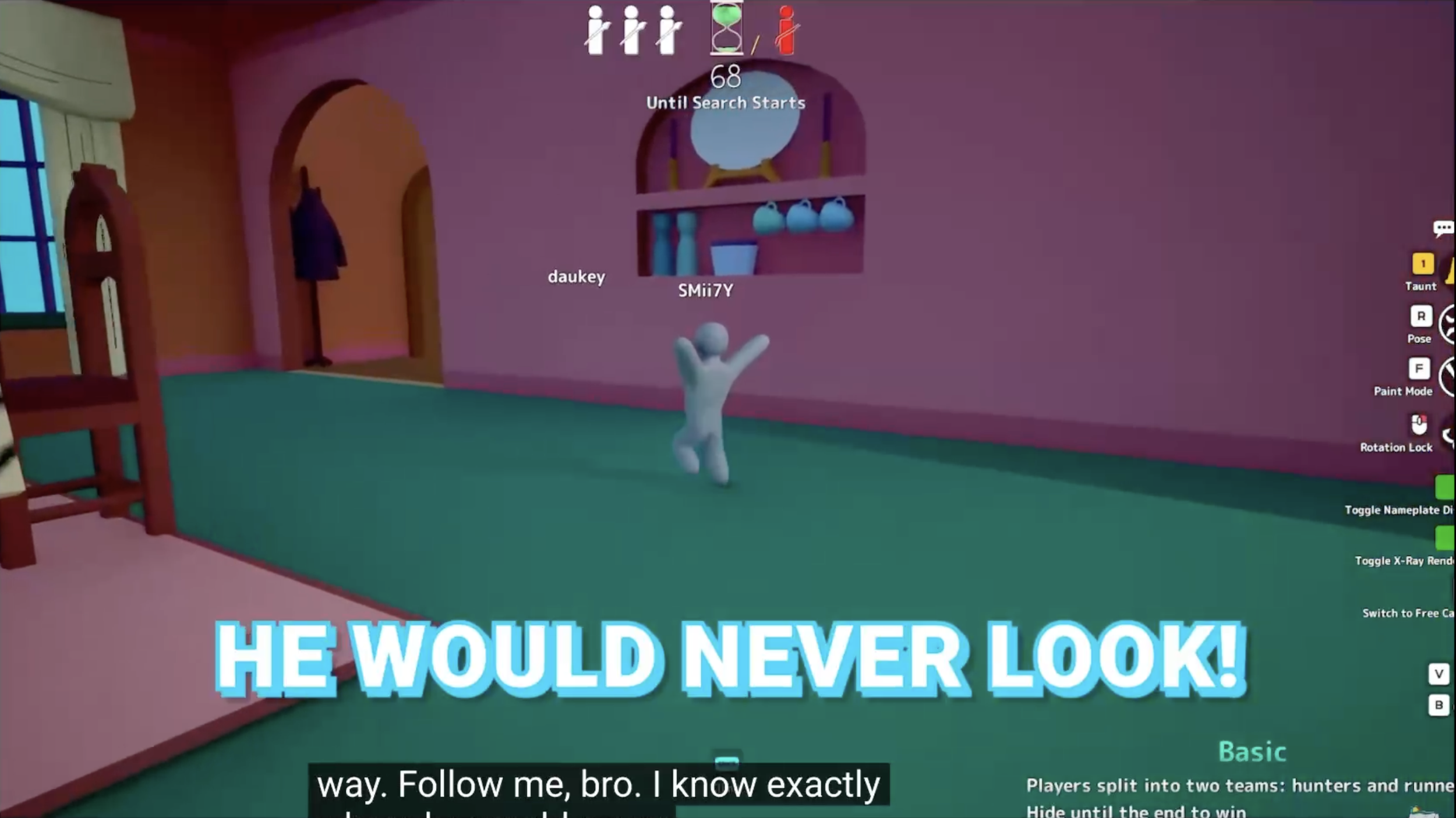
During the aeroplane gameplay, the editor uses large animated captions to highlight what the players are saying. The captions appear alongside the conversation, making certain words and reactions stand out.
I think this woks because it draws the viewer’s attention to the joke rather than relying on the audio alone. It’s a technique I’d like to experiment with in my own editing, especially when working with footage involving several people talking at once.

03 - Comedic Timing & Reactions
During the chaotic chase sequence, the editor uses large coloured captions to emphasise the players’ reactions. These appear alongside the action, helping the audience follow what’s happening while making the reactions stand out.
What interests me is how the timing of these captions adds to the humour. By matching the text to the reactions, the editor draws attention to specific moments without interrupting the gameplay. This is something I could use in my own editing when working with fast-paced footage or conversations between multiple people.
02 - Visual Effects & Transitions
During the video, the editor switches from normal gameplay to a colourful cartoon-style sequence. This creates a noticeable change in the visuals and breaks up the usual gameplay footage.
What interests me is how this change of style affects the pacing. Instead of keeping the same visuals throughout, the editor introduces something unexpected to keep the audience engaged. It’s something I could experiment with in my own editing by using short visual inserts to make certain moments stand out.
What I’ve Learnt From SMii7Y’s Editing Style
Researching SMii7Y’s editing style has helped me understand how important timing and sound design are when creating entertaining videos. I’ve learnt that editing isn't just about removing unnecessary footage, but also knowing when to add effects, emphasise reactions and let certain moments play out.
One technique I’d like to develop further is using sound effects and animated captions to improve comedic timing. I already have experience using Premiere Pro, but I want to become more confident in making creative editing decisions rather than just focusing on the technical side.
Comparing SMii7Y with Mark McCann has also shown me how editing styles can change depending on the type of content. Mark McCan uses editing to develop a story, whereas SMii7Y focuses more on individual moments and reactions. Both approaches are useful skill I want to develop as a editor.